

Mocha RDP for iPhone/iPad
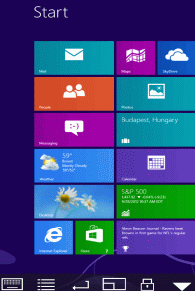
Using your iPhone or iPad, you can connect to your Windows work computer and see the files, programs, and resources exactly as you would if you were sitting at your desk, just on a smaller screen. Supports access to a PC running Windows XP Professional or Windows 7/10/11. HOME edition and Windows 200x Servers are not supported.
- Windows XP, Windows 7,10,11 are supported.
- Standard RDP protocol.
- Includes NLA support.
- 128 bit encryption.
- Support for Mouse Easy. Use an iPhone as a bluetooth trackpad.
- Support for Bluetooth. See the setup guide.
- 8/16 bit color mode for faster screen updates.
- Have patent license from Microsoft for the RDP protocol.
- WOL (Wake on LAN).
- NETBIOS name support for easy configuration.
- Price 5.99 USD.
 |
 |
Lite or paid version
The lite version has a 5 minutes session limitation.
 |
 |
 |
 |
|||
Copyright (c) 1997-2025 MochaSoft Aps. All Rights Reserved. |